

For WordPress environments, maintaining control over URL structures is critical for local SEO. The MultiLipi WordPress plugin includes a dedicated URL Slug Manager that allows you to define explicit mapping rules between your source paths (e.g., /about-us/) and their localized targets (e.g., /अनुवादित-पृष्ठ/). This ensures that your specific keywords are preserved in the URL structure before the request even leaves your server.
This guide details the protocol for defining these routing maps.
1. The Mapping Architecture
How the plugin handles routing.
The plugin acts as an interceptor. When a request hits your WordPress site for a translated path defined in this manager, the plugin identifies the mapping and serves the correct underlying content without generating a 404 error. This allows you to "mask" English URLs with native-language slugs seamlessly.
2. Configuration Protocol
Manage these rules directly from your WordPress Admin Panel.
Step 1: Access WP Admin Context
Log in to your WordPress Dashboard (/wp-admin).
Ensure the MultiLipi plugin is installed and active.
Step 2: Initialize Slug Manager
In the main WordPress sidebar, locate and click on MultiLipi.
From the sub-menu, select URL Slugs.
Context: This opens the MultiLipi URL Slug Manager screen, displaying all active local maps.
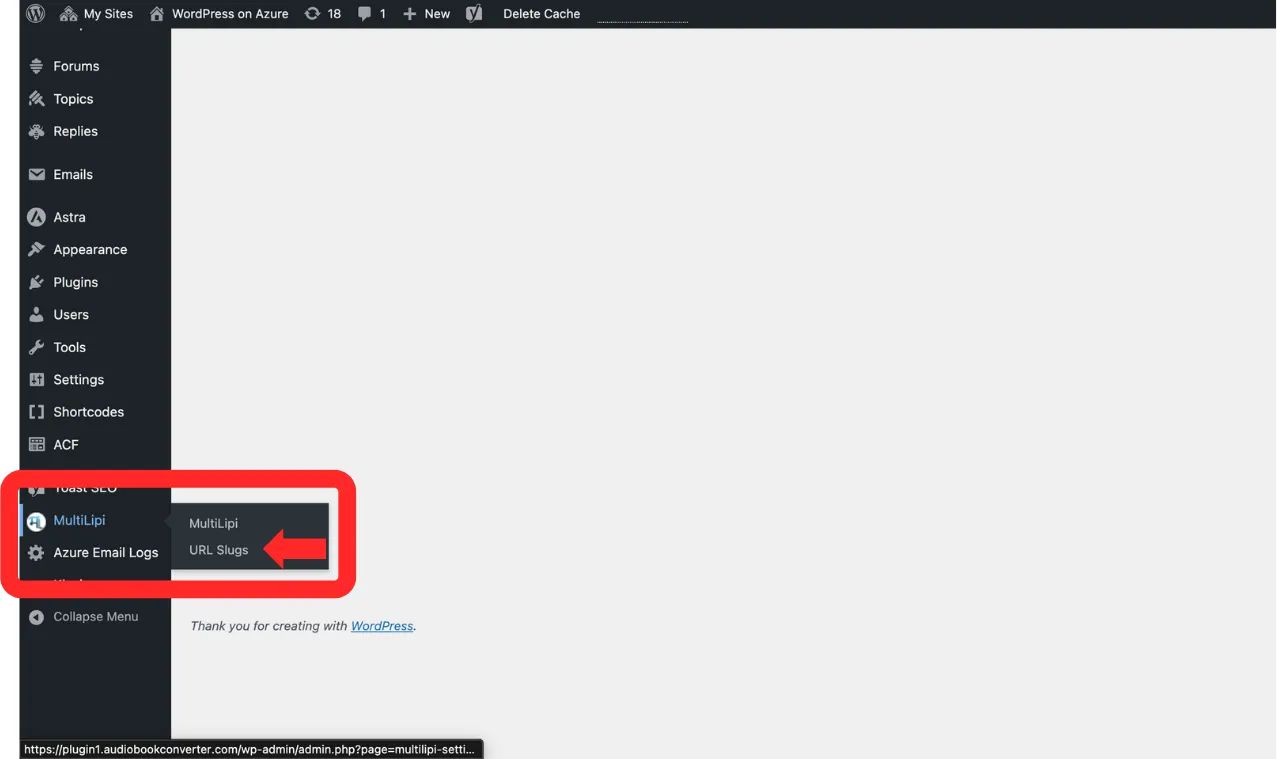
Navigate to MultiLipi → URL Slugs from the WordPress sidebar
Step 3: Define New Rule
Click the "+ Add new slugs" button.
A new input row will appear. Populate the schema as follows:
Language: Select the target locale code (e.g., hi — Hindi).
Original Path: Input the existing source URL (e.g., /sample-page/). Note: This page must already exist.
Translated Path: Input your desired custom slug (e.g., /अनुवादित-पृष्ठ/).
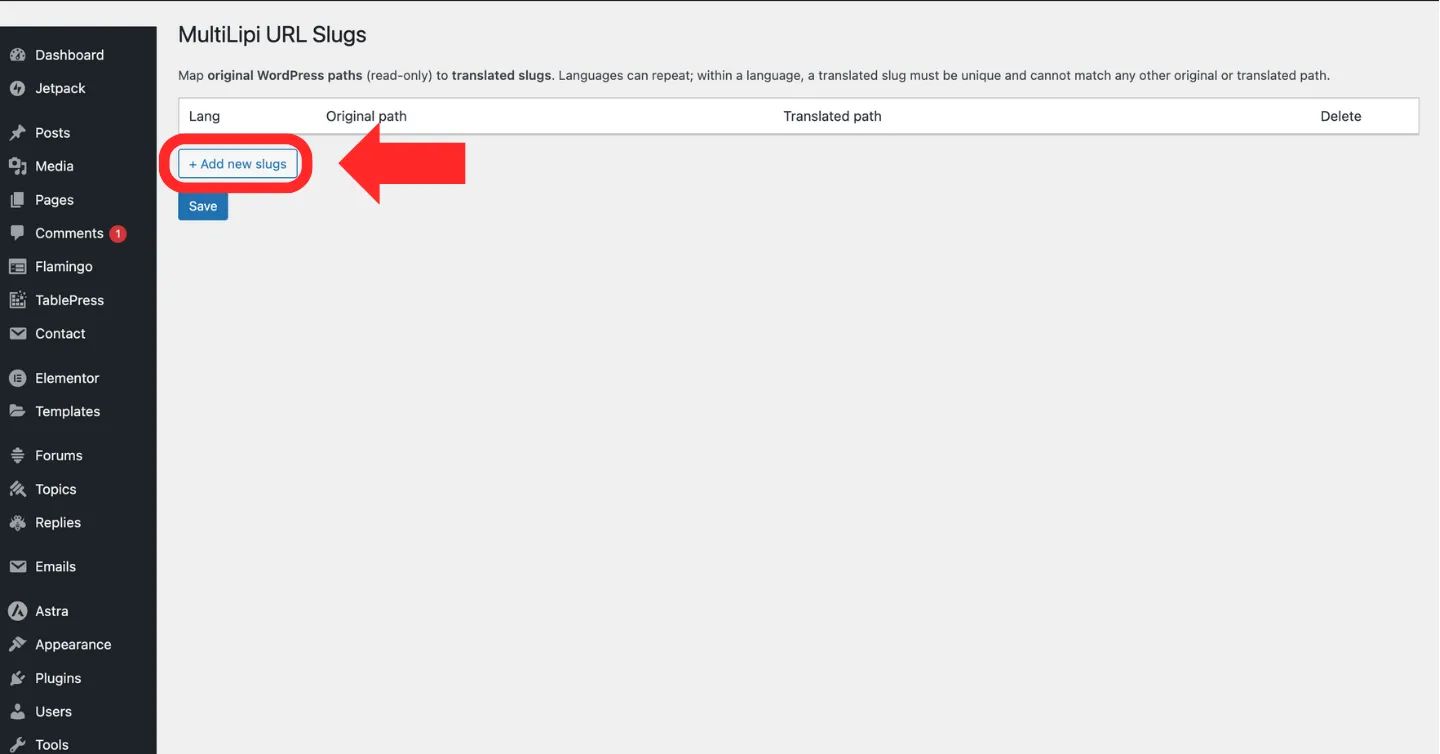
Click the "+ Add new slugs" button to create a new URL mapping rule
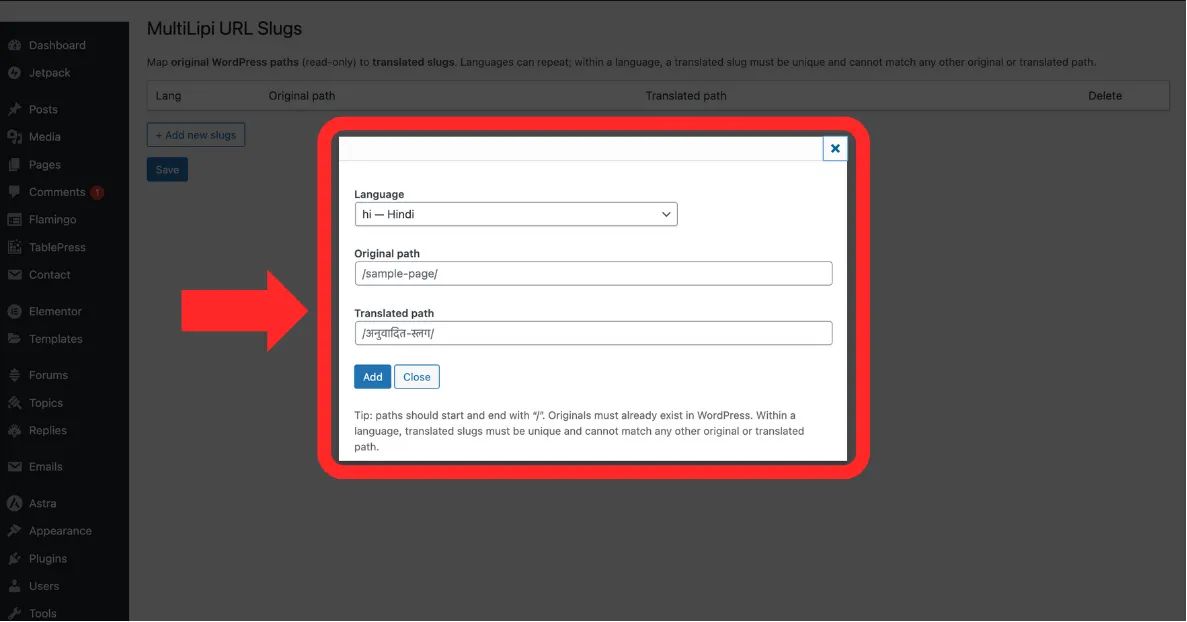
Fill in the Language, Original Path, and Translated Path fields
Step 4: Commit Mapping
Click Save to apply the rule.
System Action: The routing map is updated immediately. Users browsing in Hindi who visit the translated path will now see the correct content.
3. Validation & Constraints
Engineering rules for valid paths.
To prevent routing errors or infinite loops, the system enforces the following strict constraints:
Slash Consistency
Every path (Original and Translated) must start and end with a forward slash /.
Correct: /about-us/
Incorrect: about-us
Uniqueness
The Translated Path must be unique within that specific language. You cannot map two different pages to the same slug.
Existence Check
You cannot map a "Ghost URL." The Original Path must refer to a valid, published page on your WordPress site.