
Localize your permalinks for maximum organic visibility and CTR.
In International SEO, your URL structure is the first signal a user sees in the search results. If your content is in Spanish but your URL remains in English (e.g., /es/pricing), you create a "Language Mismatch" that lowers trust and Click-Through Rate (CTR).
MultiLipi's Slug Translation Engine eliminates this friction. It automatically translates your URL path segments (slugs) into the target language, ensuring your routing architecture matches your content.
- English:
example.com/pricing - Spanish:
example.com/es/precios - German:
example.com/de/preise
1. The SEO Advantage
Why localize your routing layer?
Keyword Relevance
Search engines highlight keywords in the URL. Translating the slug puts your target keywords (e.g., "precios") directly in the link, boosting rank for local queries.
Cognitive Fluency
A fully localized URL feels native. It signals to the user, "This page is actually for me," rather than "This is just an auto-translated copy."
Structure Consistency
It aligns your breadcrumbs and site architecture, creating a logical hierarchy for crawlers.
2. Configuration Protocol
Activating the routing engine.
To enable automatic path translation, follow these steps in your command center:
Access Project Context
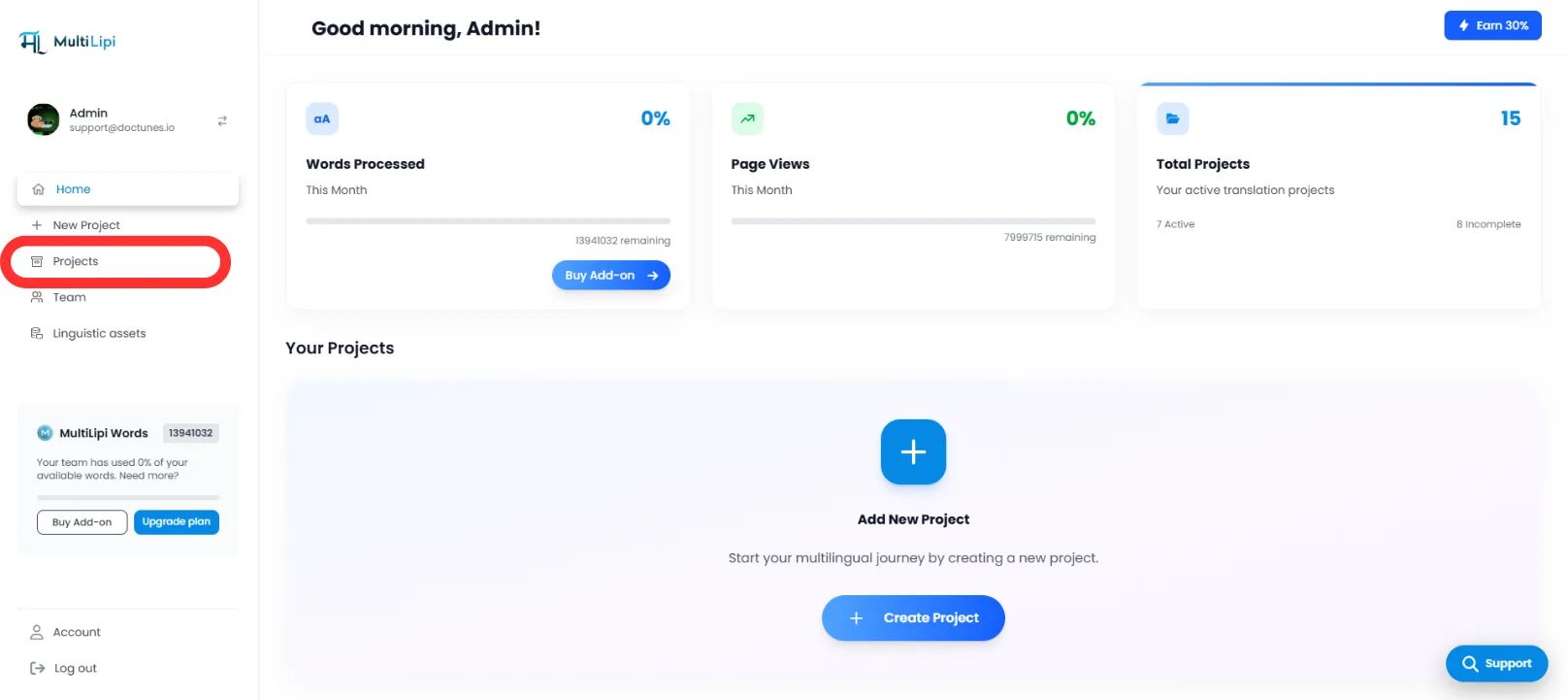
- Log in to your MultiLipi Dashboard.
- Navigate to Projects in the left sidebar to view your active integrations.
Select Target Architecture
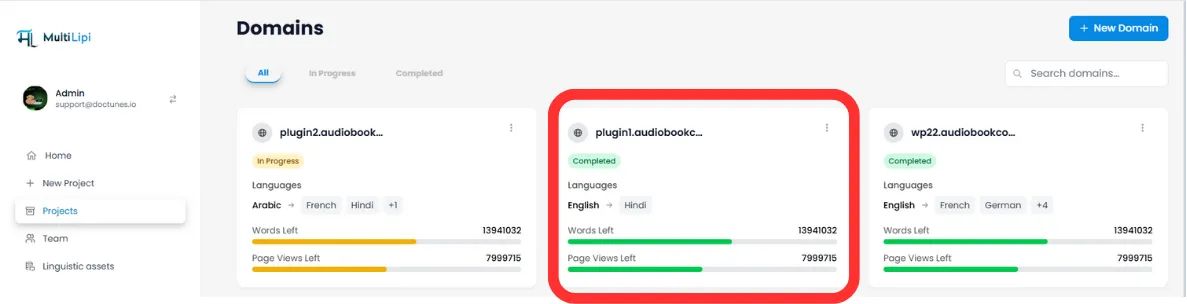
- Locate the specific project/website you wish to configure.
- Click on the Desired Project Tab to enter its settings.
Access Setup
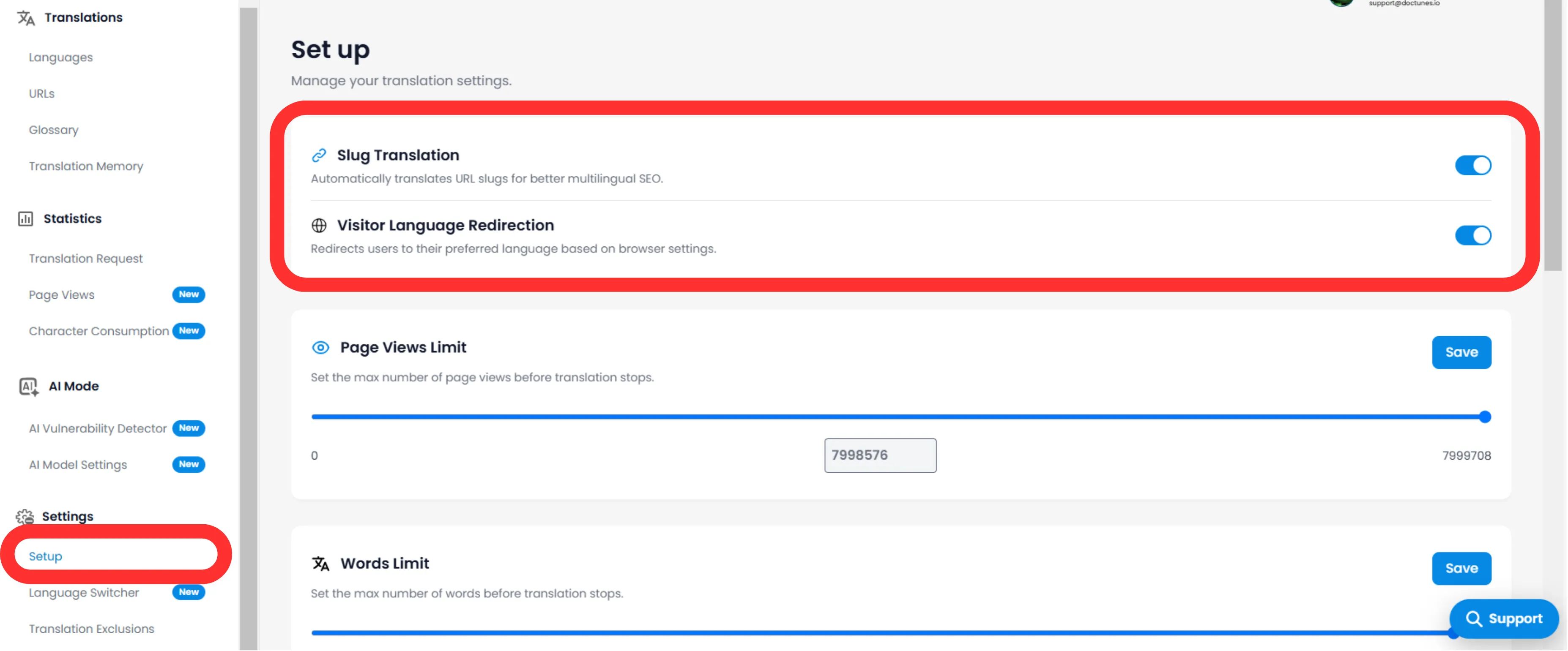
- In the project's sub-menu (left side), click on Settings.
- Select Setup.
Toggle Slug Engine
- Scroll to the Slug Translation section.
- Action: Switch the toggle to ON (Blue).
- System Action: The engine will now intercept URL requests and serve the localized slug for all target languages.
3. Technical Behavior
How it handles redirects.
Once enabled, the system manages the mapping automatically.
301 Redirects
If a user (or bot) tries to access the old non-translated URL (/es/pricing), MultiLipi automatically 301 redirects them to the new optimized URL (/es/precios). This preserves your link equity (SEO juice).
Sitemap Injection
Your XML sitemaps will automatically update to list these new, localized URLs for Googlebot to crawl.
🌐 Automatic URL Localization: By translating your URL slugs, you create a seamless international experience that boosts both SEO rankings and user trust across all target markets.