
1. The Exhaustion Event
What happens when you reach 100% quota.
When your account reaches 100% of its monthly or lifetime word quota:
Status
The dashboard will display a critical alert.
Impact
New content updates will simply remain in the source language until quota is restored. Existing cached translations usually continue to serve.
2. Provisioning Additional Capacity
Purchase instant add-ons.
You can inject more words into your project instantly via a one-time "Add-on" purchase.
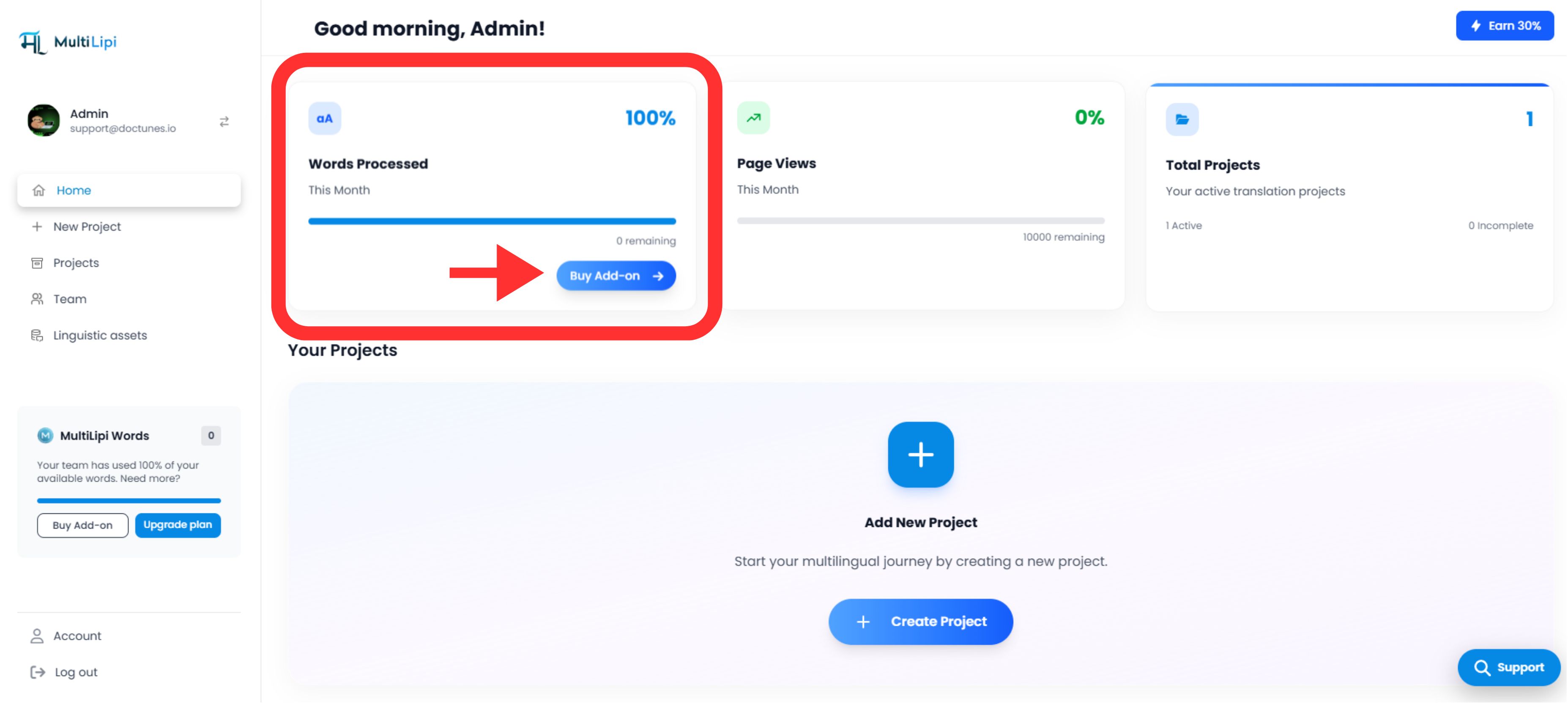
Step 1: Access the Provisioning Interface
- •Log in to your MultiLipi Dashboard.
- •Locate the "Buy Add-on" button in the top navigation bar (triggered when quota is low/full).
Step 2: Select Volume
Choose the capacity package that fits your immediate needs. This is a one-time purchase that does not affect your recurring subscription billing.
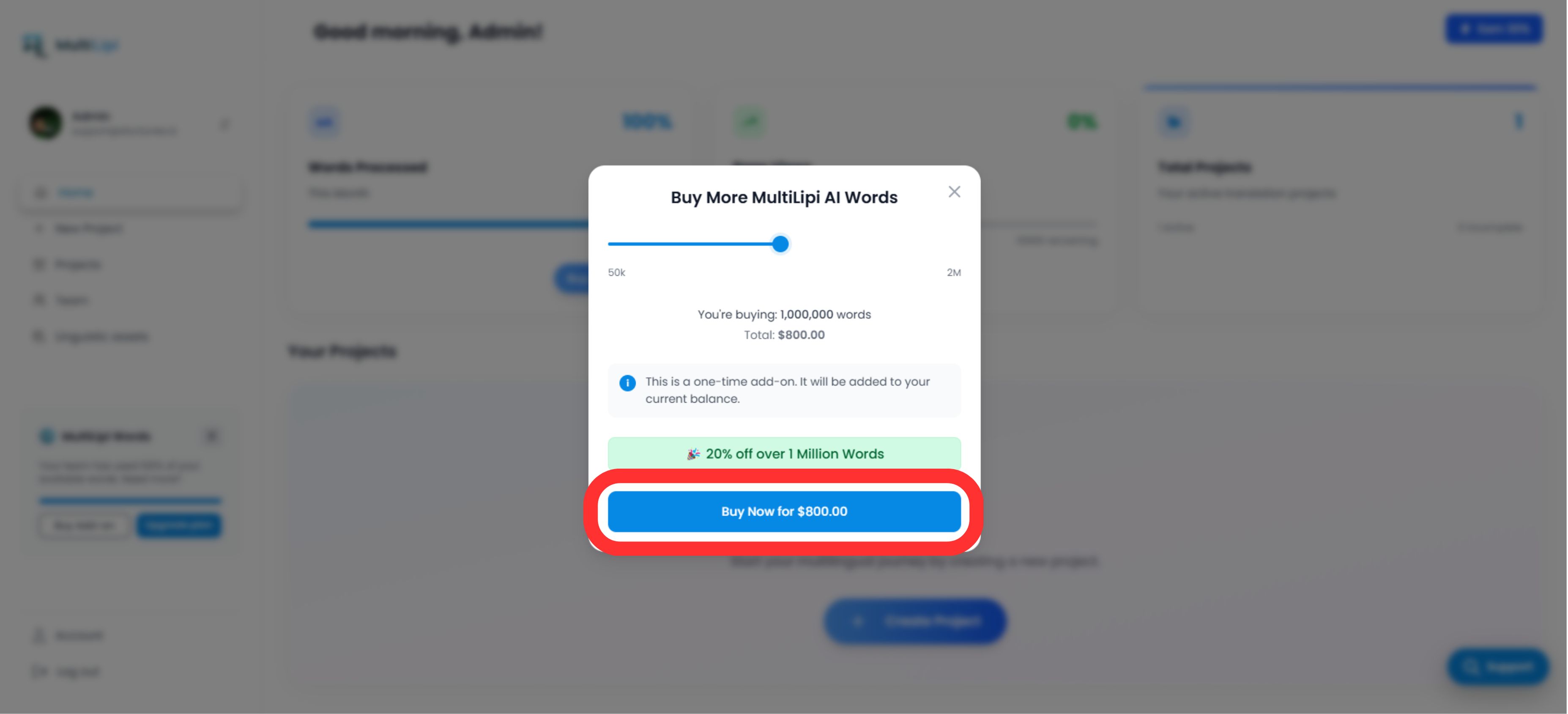
Step 3: Execution
Complete the payment. The additional quota is added to your pool immediately, and the Translation Engine resumes processing instantly.
3. Add-on Pricing Architecture
Linear and scalable pricing.
Our pricing model is linear and scalable. You pay only for the processing power you need.
| Investment | Capacity Added |
|---|---|
$10 USD | 50,000 Words |
$20 USD | 100,000 Words |
$30 USD | 150,000 Words |
$40 USD | 200,000 Words |
| And so on... | |
Note:
Add-on credits are persistent and are consumed only after your recurring plan quota is exhausted.
4. Strategic Distinction: Add-on vs. Upgrade
Add-on
Best for one-off spikes (e.g., launching a massive blog archive or a seasonal catalog).
It is a non-recurring operational expense.
Plan Upgrade
Best for sustained growth. If you consistently hit your limit every month, upgrading your base plan (e.g., from Business to Pro) is often more cost-effective per word.
It provides predictable monthly capacity.