

Enterprise localization often requires offline workflows. Whether you need to send 5,000 strings to a legal team for review or migrate legacy translation memory from another system, MultiLipi provides full read/write access to your linguistic data.
This guide covers the protocols for Ingesting External Data (Import) and Extracting Translation Memory (Export).
Ingesting Data (The Import Protocol)
Best for: Bulk updates, migrating from other platforms, or restoring backups.
You can overwrite or update your live translation index by uploading a structured file.
Step 1: Access the Linguistic Layer
- Navigate to your MultiLipi Dashboard.
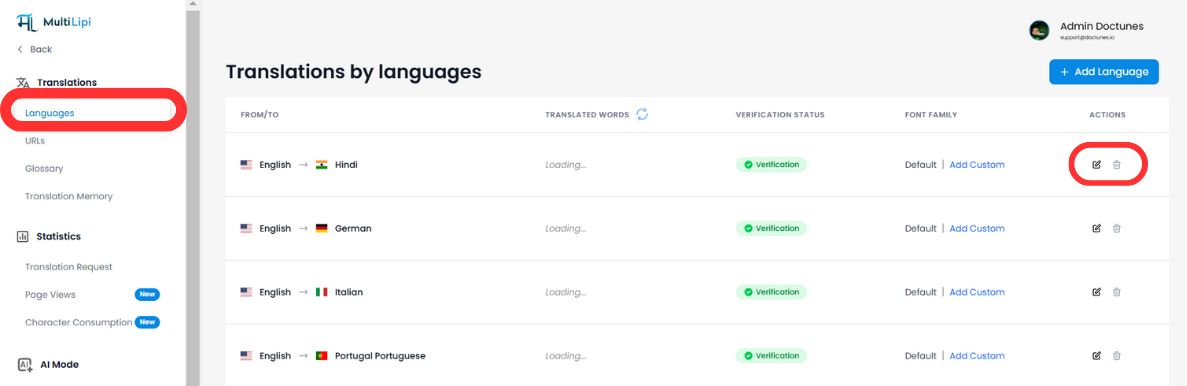
- Select Translations > Languages from the sidebar.
- Locate the specific language pair you wish to update (e.g., English → Hindi).
- Click the Edit Icon (pencil) to open the Translation Memory for that locale.
Step 2: Initiate Ingestion
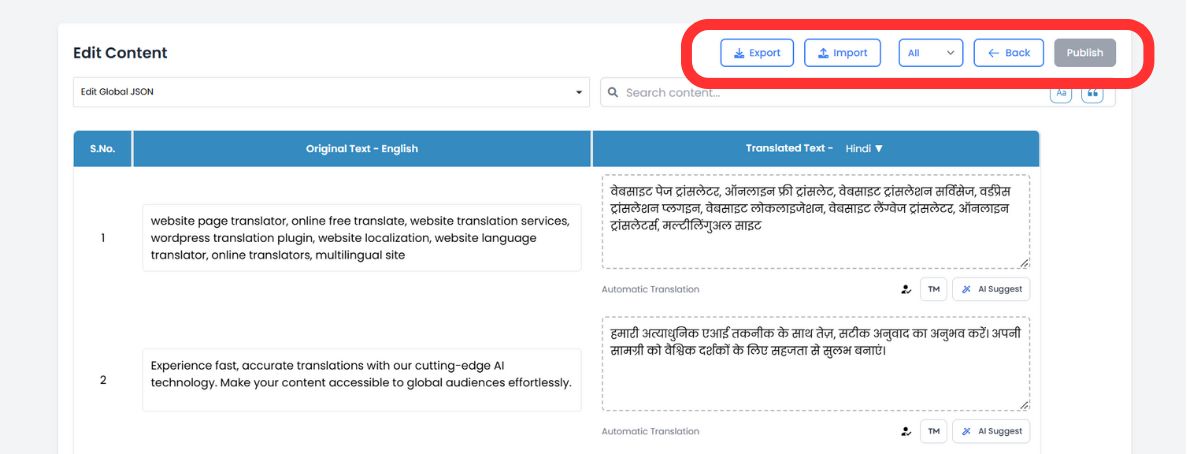
In the top toolbar of the editor, click the Import Icon.
Step 3: Upload & Configure
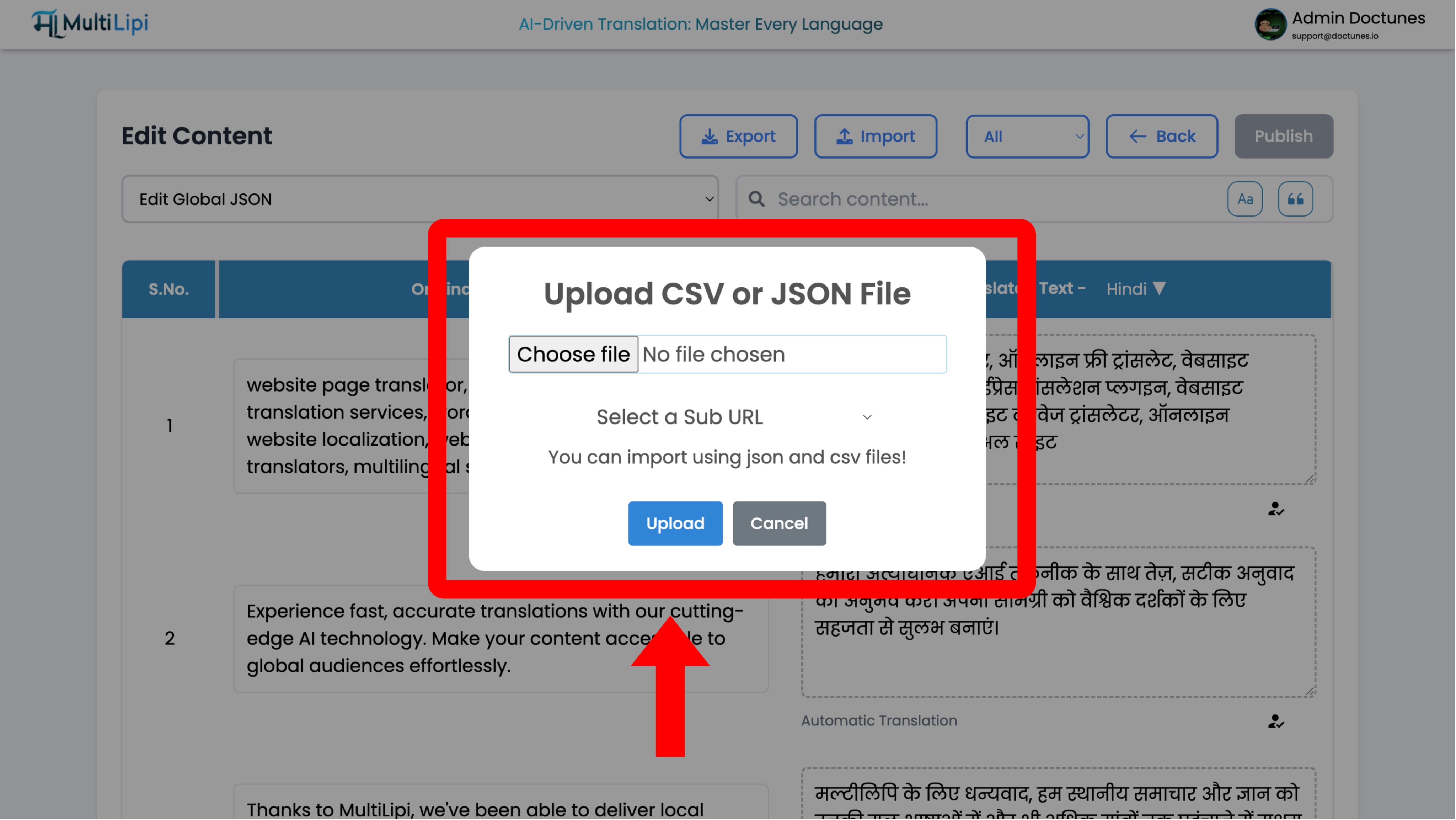
A configuration modal will appear:
File Selection
Upload your .csv or .json file.
Scope Definition
- •Global: Apply these translations to the entire domain.
- •Scoped: Use the "Sub URL" dropdown to apply these translations only to a specific page (e.g.,
/pricing).
Execute
Click Upload.
System Action
The system parses the file and instantly updates the translation memory. Live changes propagate to the edge network immediately.
Extracting Data (The Export Protocol)
Best for: Offline audits, professional human review, and compliance backups.
You own your data. You can download your entire translation memory at any time.
1. Access Editor
Navigate to the same Language Editor used above.
2. Execute Extraction
Click the Export Icon (next to Import).
3. Format Selection
Choose
.csv(for spreadsheets/Excel) or.json(for developers).4. Result
The system generates a structured file containing every source string and its current translation.
Strategic Use Cases
| Operation | Scenario |
|---|---|
| Offline Audit | Export your "Legal Terms" page to CSV and send it to your legal department for redlining in Excel. Import the approved file back. |
| Professional Review | Export auto-translated content, send it to a certified human translator, and ingest their corrections in bulk. |
| Backup Strategy | Perform weekly exports to maintain a local "cold storage" backup of your translation assets. |