
Control Your AI Narrative
In the era of Generative Engine Optimization (GEO), your page's Title and Description are more than just blue links on Google; they are the primary "Context Vectors" for AI models. While MultiLipi automatically translates these assets, the Schema & llms.txt Manager gives you granular control to override them, ensuring your brand narrative is consistent across every language.
What You'll Control:
Access the AI Hub
- 1Log in to your MultiLipi Dashboard.
- 2In the left sidebar under the LLM OPTIMIZATION section, click on Schema & llms.txt.
- 3Visual Check: You will see a dashboard listing all your active language pairs (e.g., English → Italian, English → German).
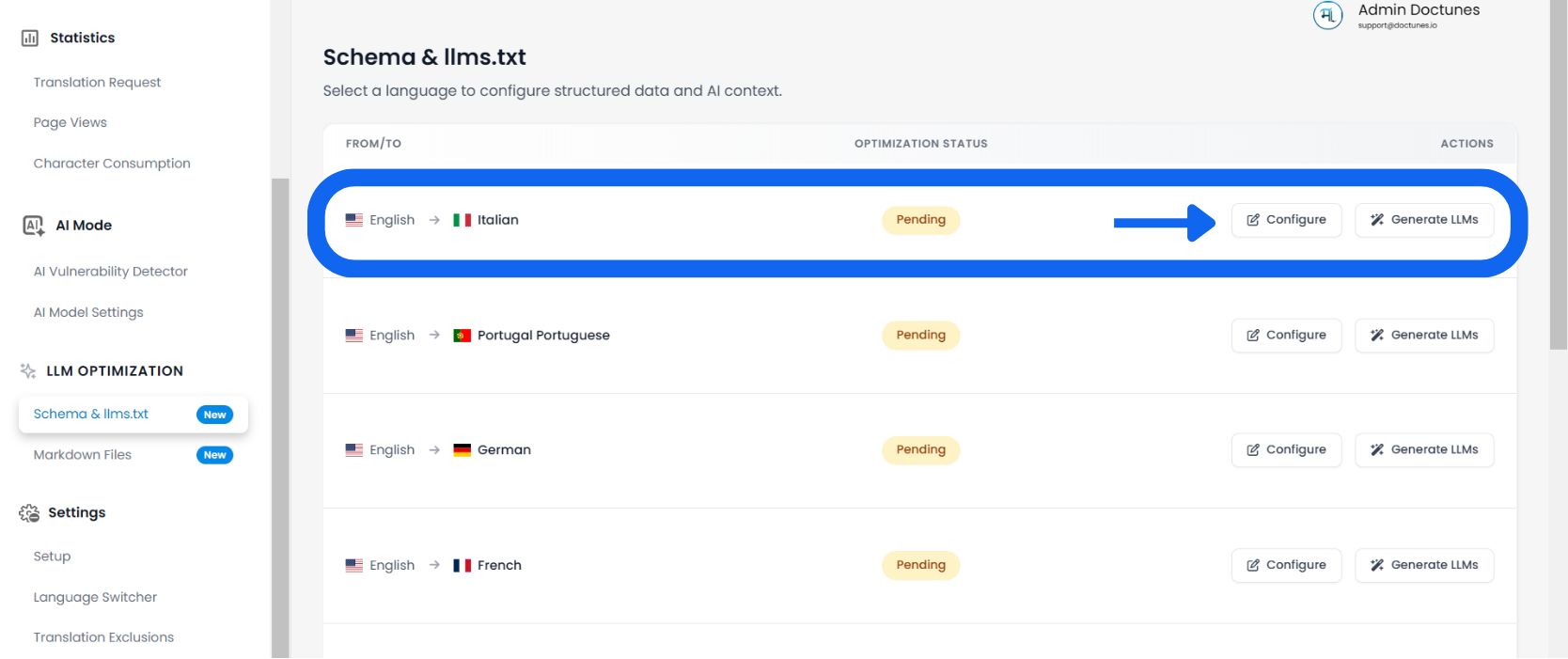
Select a Target Language
Review the Optimization Status column (e.g., "1% Optimized" or "Pending") to see which languages need attention.
Audit Page Metadata
The system loads a granular list of every URL discovered on your site for that language.
Review Columns:
The specific page slug (e.g., /aeo-guide).
The current localized title tag served to bots.
The localized summary used for AI indexing.
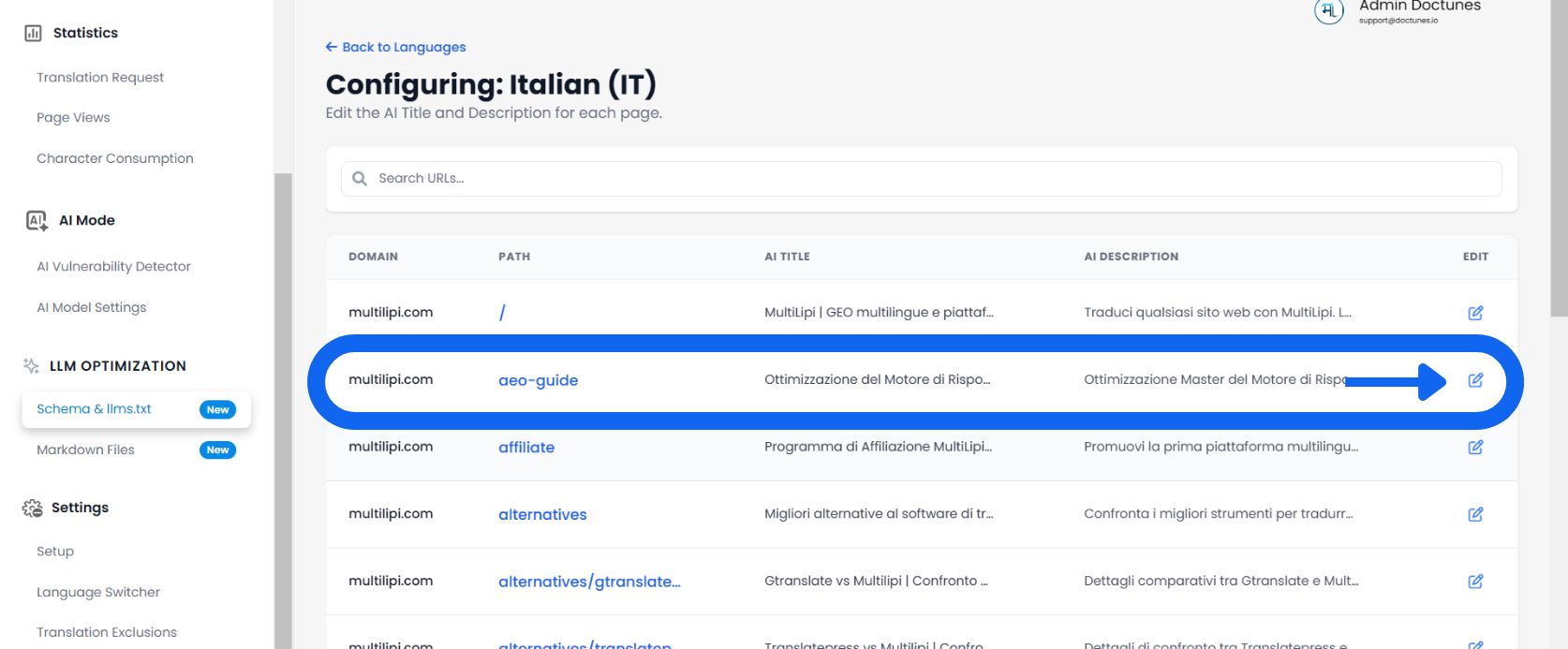
Edit & Override
✏️ If the auto-generated translation misses the nuance of your brand, override it manually.
- Click Edit:Select the Pencil Icon next to any Title or Description.
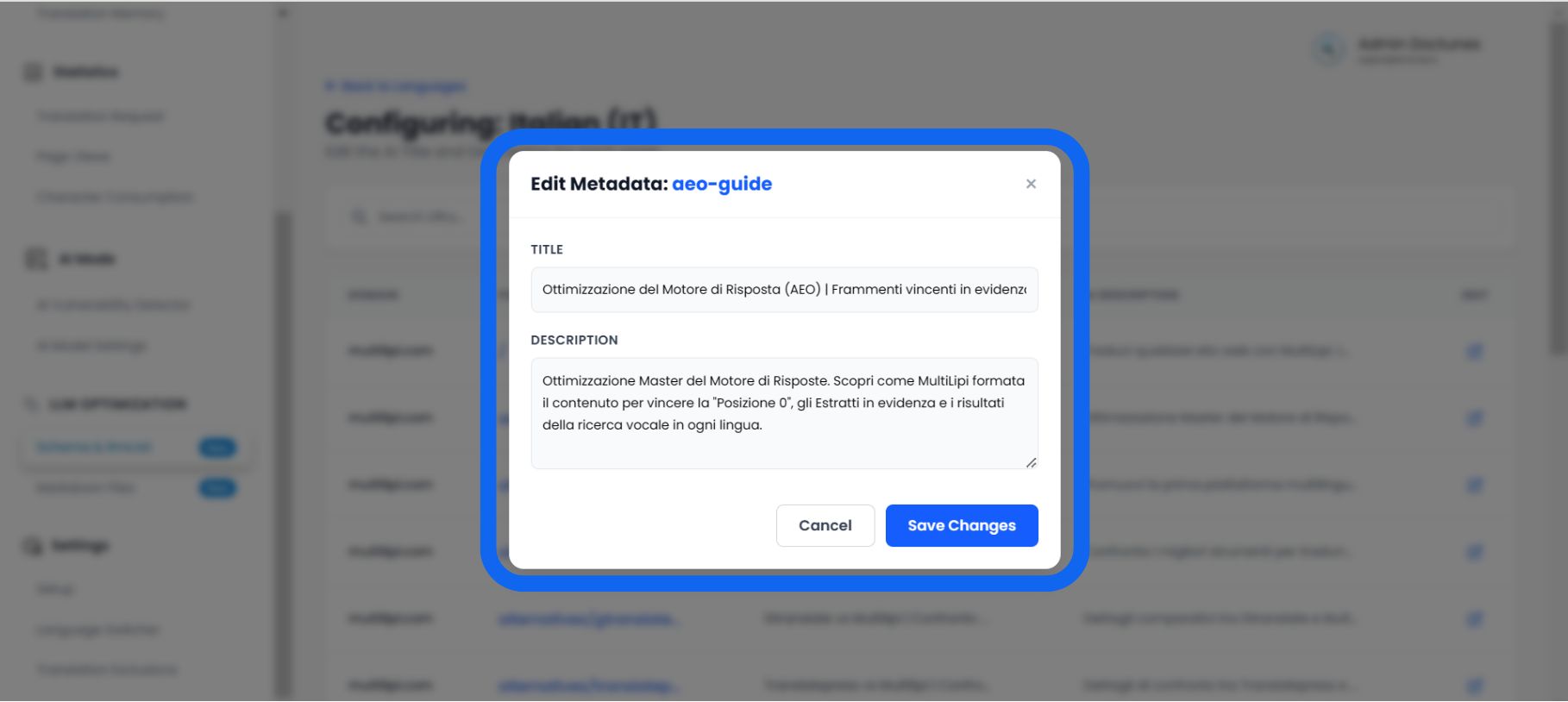
- The Editor Modal:A popup titled "Edit Schema Metadata" will appear.
- Input New Data:
• Schema Title: Enter a keyword-rich, localized title.
• Schema Description: Write a structured summary (approx. 160 characters) that answers the user's intent directly.
- Save:Click Save Changes.
Result: The system immediately updates yourllms.txtfeed and JSON-LD markup with this new, curated data.
Why Manual Curation Matters
🎯 Don't just translate; optimize.
While auto-translation is 95% accurate, the Schema Manager allows you to perfect the final 5% that drives conversion.
The "Hallucination Fix"
⚡ Stop AI from lying about your product.
AI models (like ChatGPT) often "hallucinate" facts when they don't have clear data.
⚠️ The Risk
If your auto-translated description is vague, an AI might guess your pricing or features incorrectly when answering a user question.
✅ The Fix
By manually editing the Schema Description in this tool, you provide a "Hard Fact" summary. This forces the AI to use your written definition as the ground truth, significantly reducing the chance of misinformation in AI-generated answers.