

Secure your infrastructure access with routine credential rotation.
Protecting your MultiLipi Command Center is critical. Whether adhering to corporate compliance policies or simply refreshing your security, you can rotate your access credentials directly from the dashboard without needing support intervention.
This guide details the protocol for updating your primary account password.
1. Accessing Security Controls
To initiate a credential update:
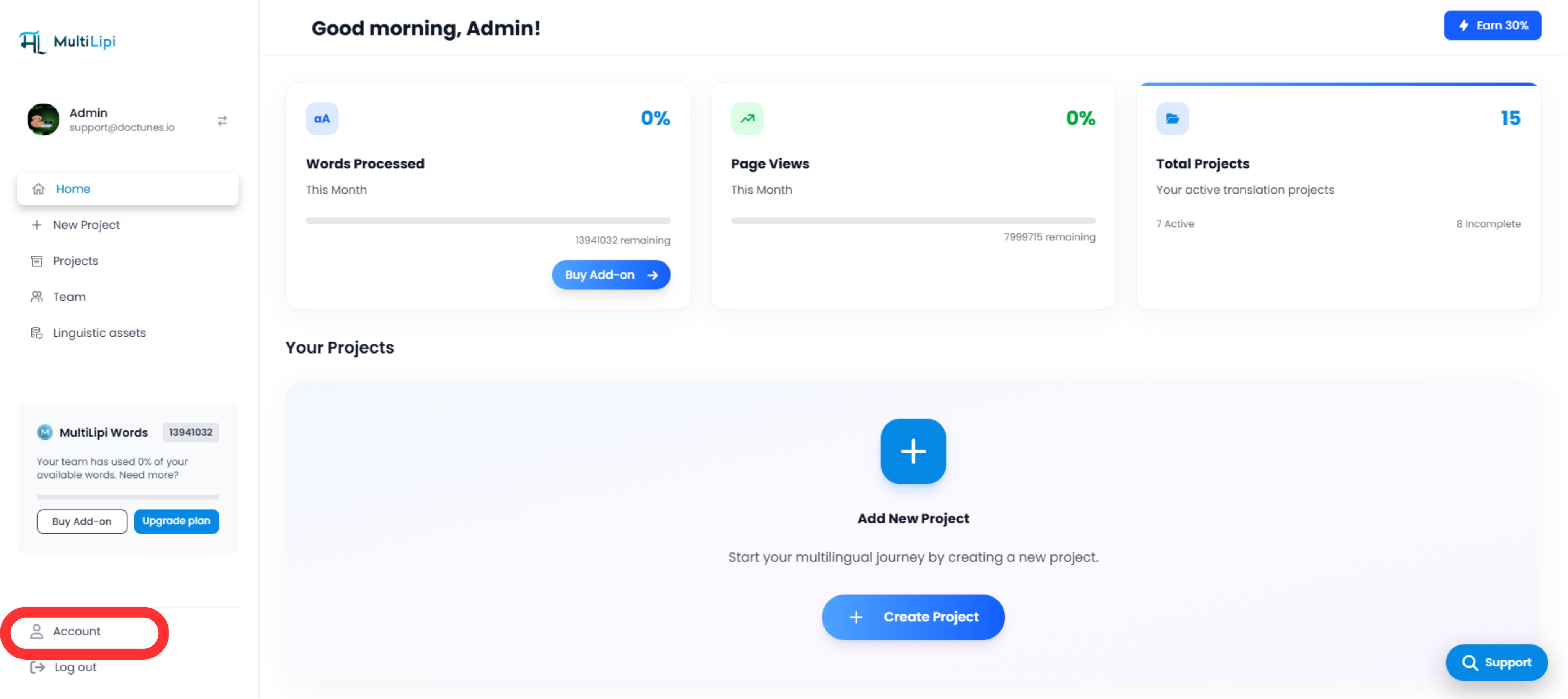
2. Executing the Update
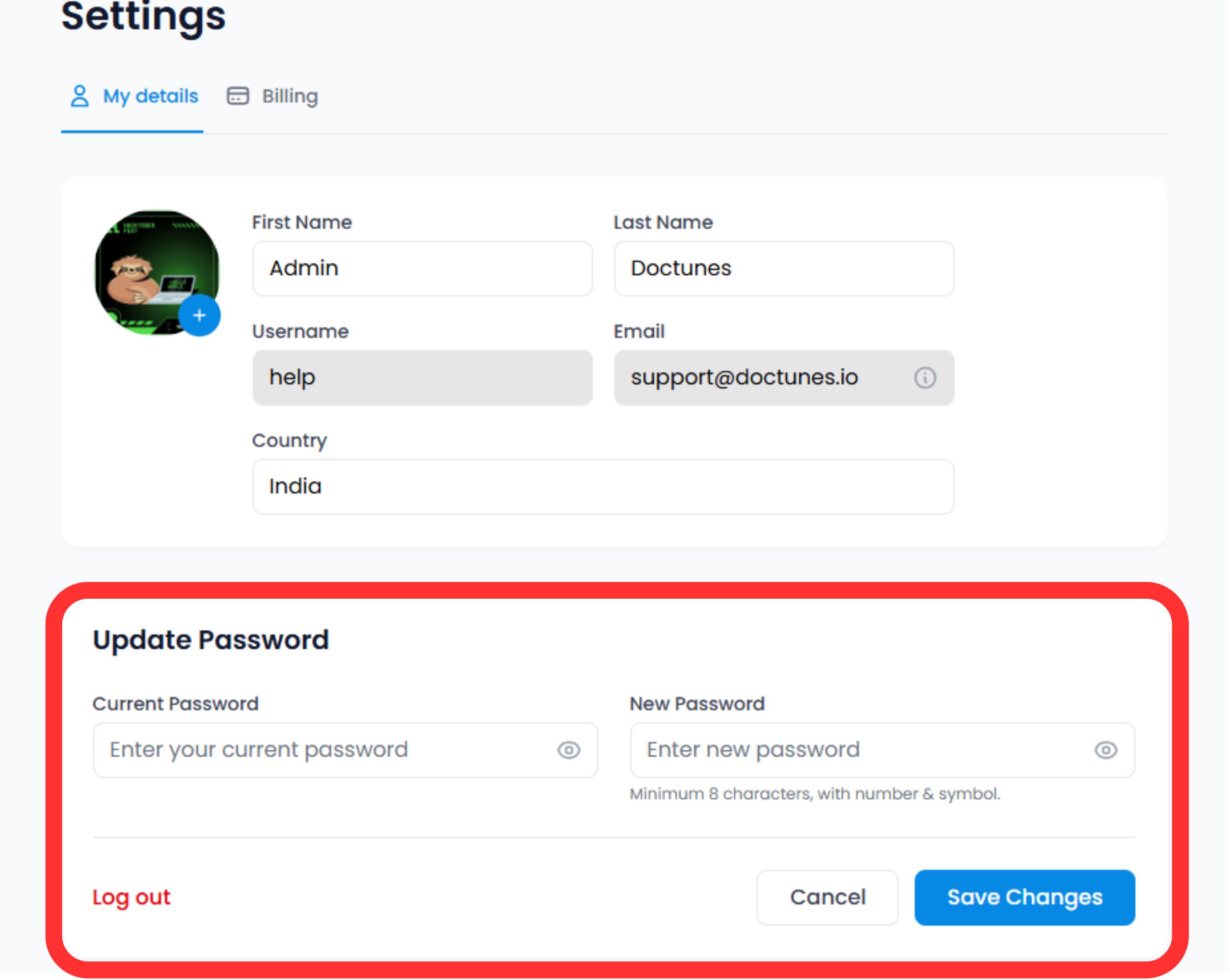
Scroll to the Security Section at the bottom of the profile form.
Verify Identity
Enter your Current Password to authorize the change.
⚠️ Security Note: You cannot change your password without proving your current access level.
Set New Credential
Enter your New Password.
Commit
Click Save Changes.
System Action
The update is immediate. You may be required to re-authenticate on other devices where your session is active.
3. Credential Standards (Best Practices)
For maximum security, we recommend adhering to the following complexity rules:
Length
Minimum 12 characters.
Complexity
Mix of alphanumeric (A-Z, 0-9) and special symbols (!@#$).
Uniqueness
Do not reuse passwords from other services.
4. Recovery Protocol
Locked Out?
If you cannot remember your current password to perform the update steps above, do not use this form.
Action:
Log out and use the "Forgot Password" link on the login screen. This triggers an email-based recovery flow to verify your identity externally.
🔒 Security Best Practice
We recommend rotating your password every 90 days and enabling two-factor authentication (2FA) for an additional layer of security. Regular credential updates help protect your MultiLipi infrastructure from unauthorized access.
Learn about 2FA Setup