What Counts as Character Consumption?
 MultiLipi
•
Sep. 16, 2025
•
5 Min read
MultiLipi
•
Sep. 16, 2025
•
5 Min read
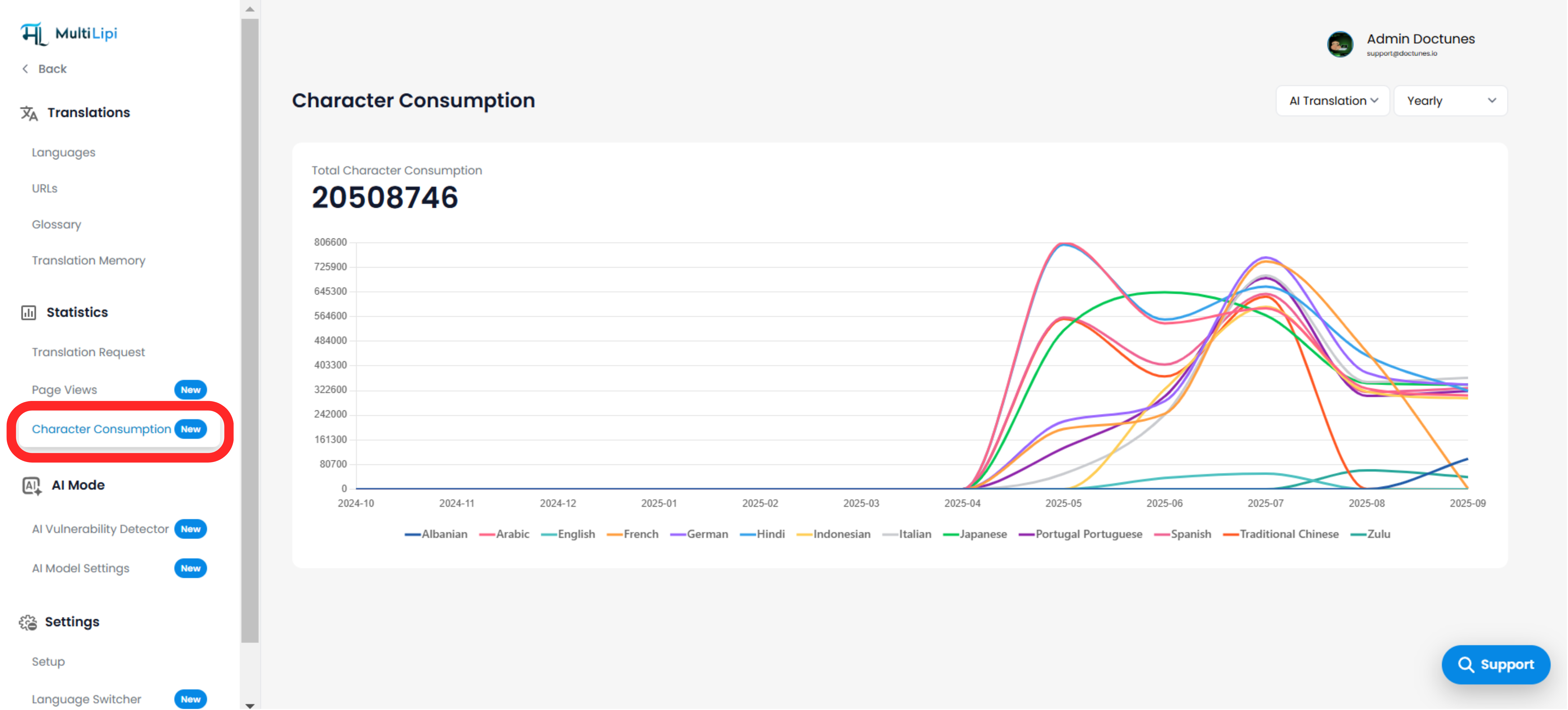
Understanding how many translation characters your website consumes is crucial—especially when managing quotas or optimizing performance. The Character Consumption dashboard in MultiLipi helps you monitor usage across all your translated languages in a detailed and visual format.
This includes characters consumed from:
- Website Translations (via AI Translation or Manual)
- AI Tools (like AI Content Suggestion from Virtual Editor, Manual Editor, or AI Model Settings)
Note: Viewing or editing content using the Visual or Side-by-Side Editor does not consume characters, unless AI is used for suggestions.
Where to Find Character Consumption Stats
Just follow these simple steps to access your character usage stats:
- Login to your MultiLipi Dashboard
- In the left sidebar, click on Projects
- Select the project/website you want to monitor
- Click on Statistics → Character Consumption
From here, you’ll see:
- Total characters used across all languages
- A line chart showing month-wise breakdown by language
- Filters to view by AI or Manual mode and choose Monthly or Yearly views
Why It Matters
Understanding your character consumption helps you:
- Track how your usage evolves across time
- Avoid overages by staying within your plan limits
- Optimize translation workflows (e.g., identify high-usage languages)
- Justify ROI and make data-driven scaling decisions
Whether you're managing one site or dozens, this tool ensures transparency over your translation engine’s output—especially helpful when using AI-generated content suggestions in the editor or settings.
What to Do If You Run Out of Characters
If your character quota is fully consumed, don’t worry — you can easily top up.
You’ll see a Buy More MultiLipi AI Words option where you can:
- Purchase additional characters (from 50,000 to 2 million words)
- Benefit from bulk discounts like 20% off for purchases over 1 million words
- Add characters directly to your current balance without affecting your subscription
Comments